Author: catbox404 Environment: Arch Linux (PC) + Android/Termux host Network: UTP hostel-style shared NAT (no port forwarding)
1. Problem statement
Goal: host a publicly accessible Minecraft server from a restricted university network.
Constraints:
- No port forwarding
- Shared NAT / CGNAT
- Unknown firewall policies
- Wi‑Fi contention + jitter
- Long-lived TCP sessions occasionally reset
Observed symptoms:
- Keepalive timeouts
- Players join but cannot interact
- Periodic high latency spikes despite low average ping
2. Diagnostics on the Linux PC (Arch)
The diagnostic process uncovered three layered problems: a broken WARP VPN, campus firewall quirks, and a corrupted TLS certificate store. Each screenshot below is annotated with what it actually shows.
2.1 System overview & WARP VPN initial failure
First step: verify what we're working with and check the state of Cloudflare WARP, which was being used as a tunnel.
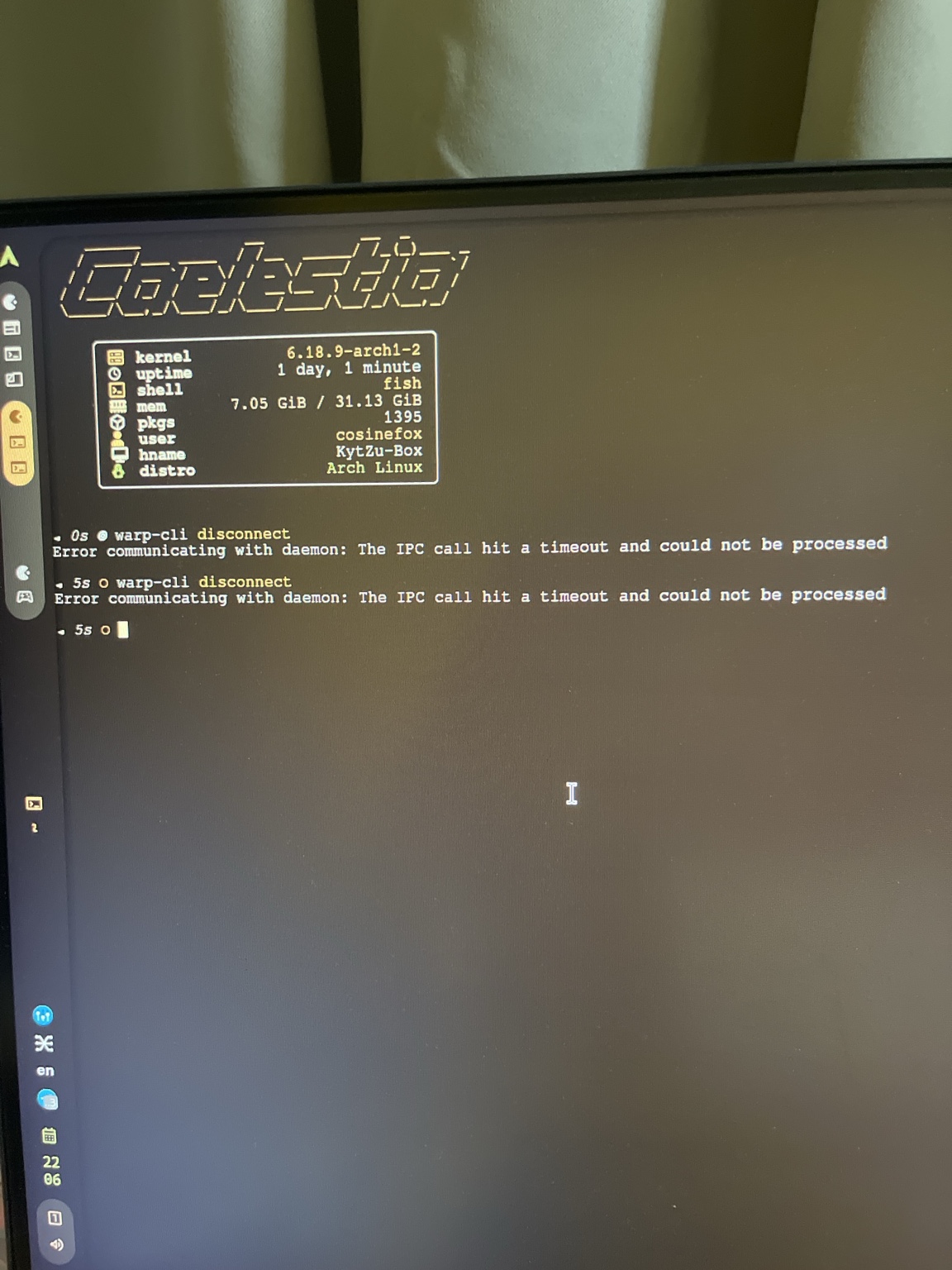
What this shows:
- Neofetch/Fastfetch output confirming the environment: Arch Linux, hostname
KytZu-Box, usercosinefox warp-cli disconnectcommands failing repeatedly with IPC timeout errors ("Error communicating with daemon")
The WARP client couldn't even talk to its own daemon process. This was the first sign that WARP was completely non-functional.
2.2 WARP service crashloop
Checked the systemd service to see why the daemon wasn't responding:
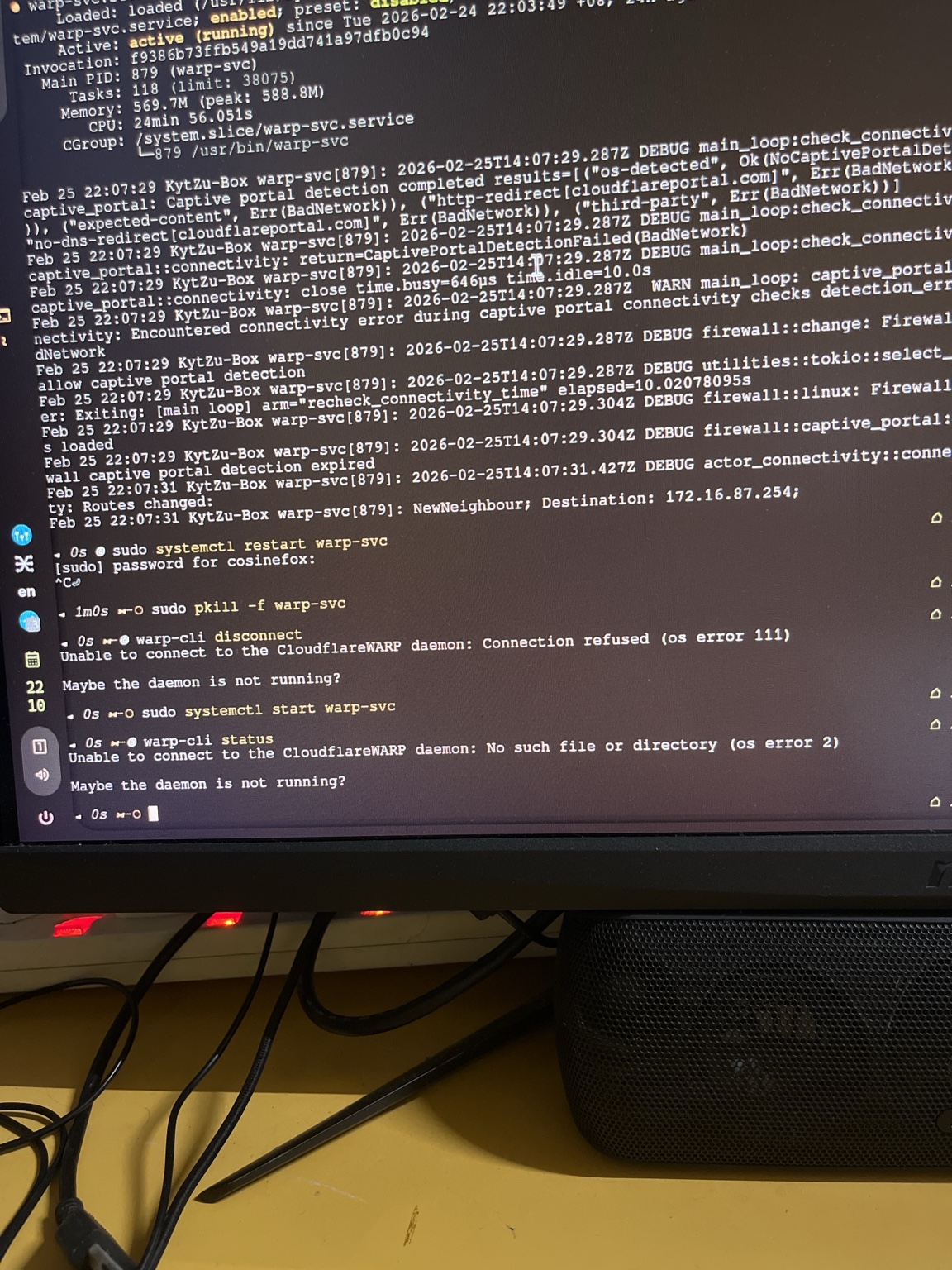
What this shows:
warp-svc.servicestatus: technically "active" but internally crashlooping- Repeated
CaptivePortalDetectionFailed(BadNetwork)errors — the university network's captive portal was confusing WARP's connectivity checks - Restart attempts failing with "Connection refused (os error 111)" and "No such file or directory (os error 2)"
The campus network's captive portal / NAT setup was actively breaking WARP's ability to establish a tunnel.
2.3 Network interfaces & connectivity state
With WARP down, checked raw network state:
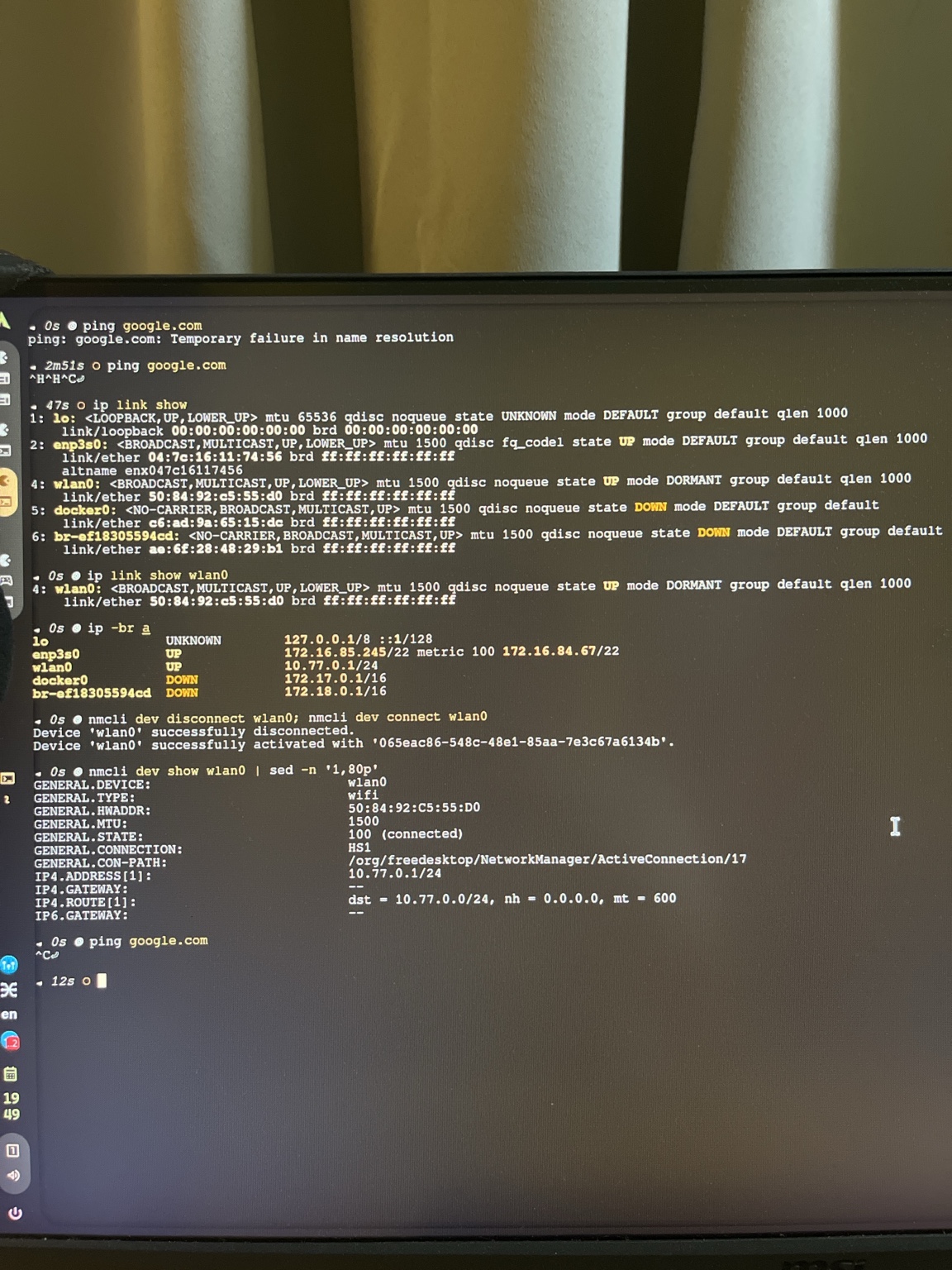
What this shows:
ping google.com→ "Temporary failure in name resolution" (DNS broken at this point)ip link showlisting interfaces:enp3s0UP,wlan0UP/DORMANT,docker0DOWNip -br ashowing addresses:172.16.85.245/22onenp3s0,10.77.0.1/24onwlan0nmclidisconnect/reconnect ofwlan0, thennmcli dev show wlan0confirming hotspot "HS1" was active
Key detail: wlan0 was running as a hotspot (for the Android Minecraft host to connect through), while enp3s0 provided the upstream Ethernet connection to the dorm LAN.
2.4 WARP disconnect & ICMP vs HTTP quirk
After finally getting WARP to disconnect cleanly:
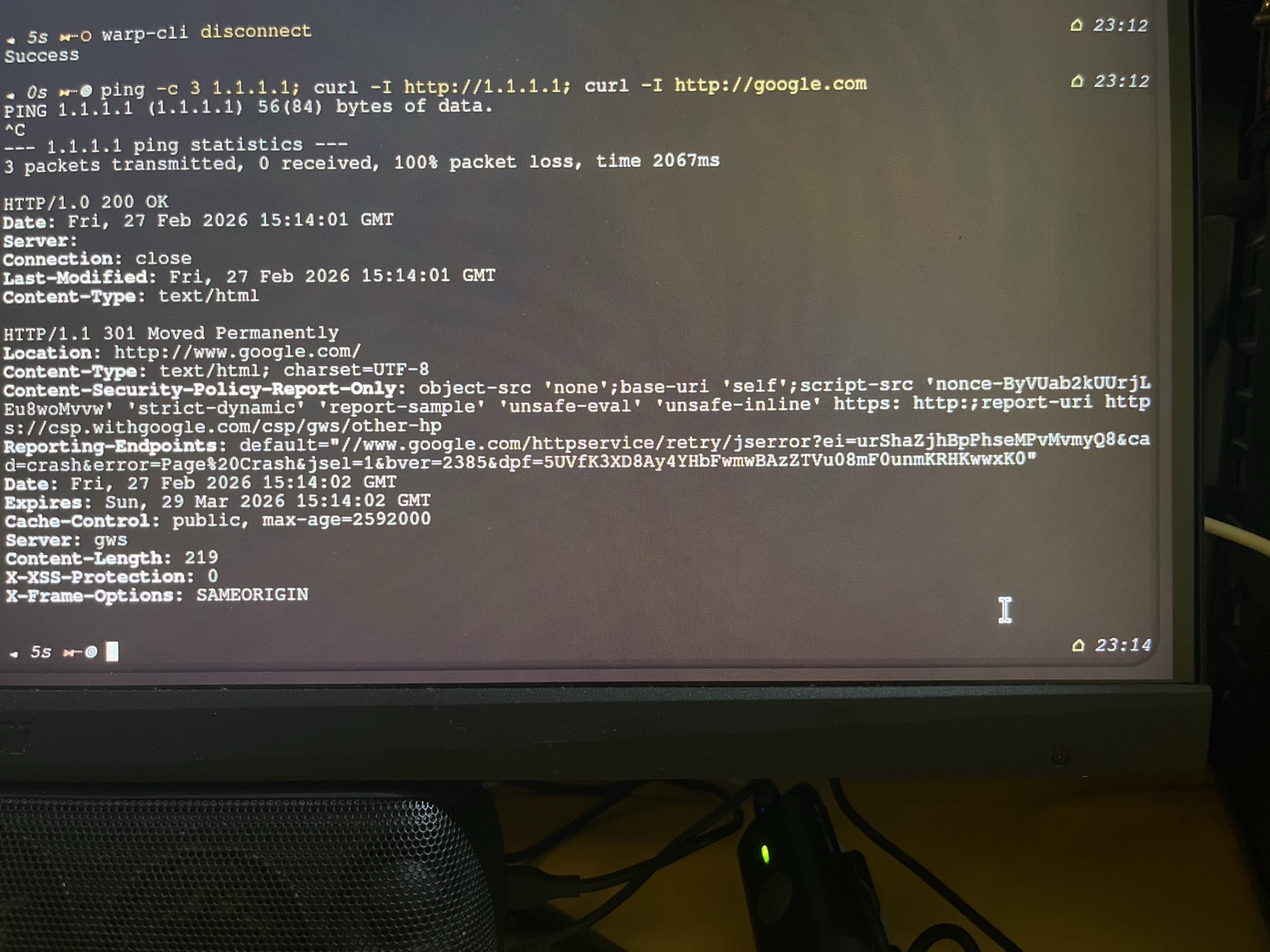
What this shows:
warp-cli disconnect→ "Success"ping -c 3 1.1.1.1→ 100% packet loss (ICMP blocked)curl -I http://1.1.1.1→ HTTP 200 OKcurl -I http://google.com→ HTTP 301 (redirect, but working)
The campus network was blocking ICMP but allowing HTTP. This is a classic university firewall behaviour — ping fails but actual web traffic works fine. Easy to misdiagnose as "no connectivity" if you only test with ping.
2.5 SSL/TLS certificate failure
Even with HTTP working, HTTPS was broken:
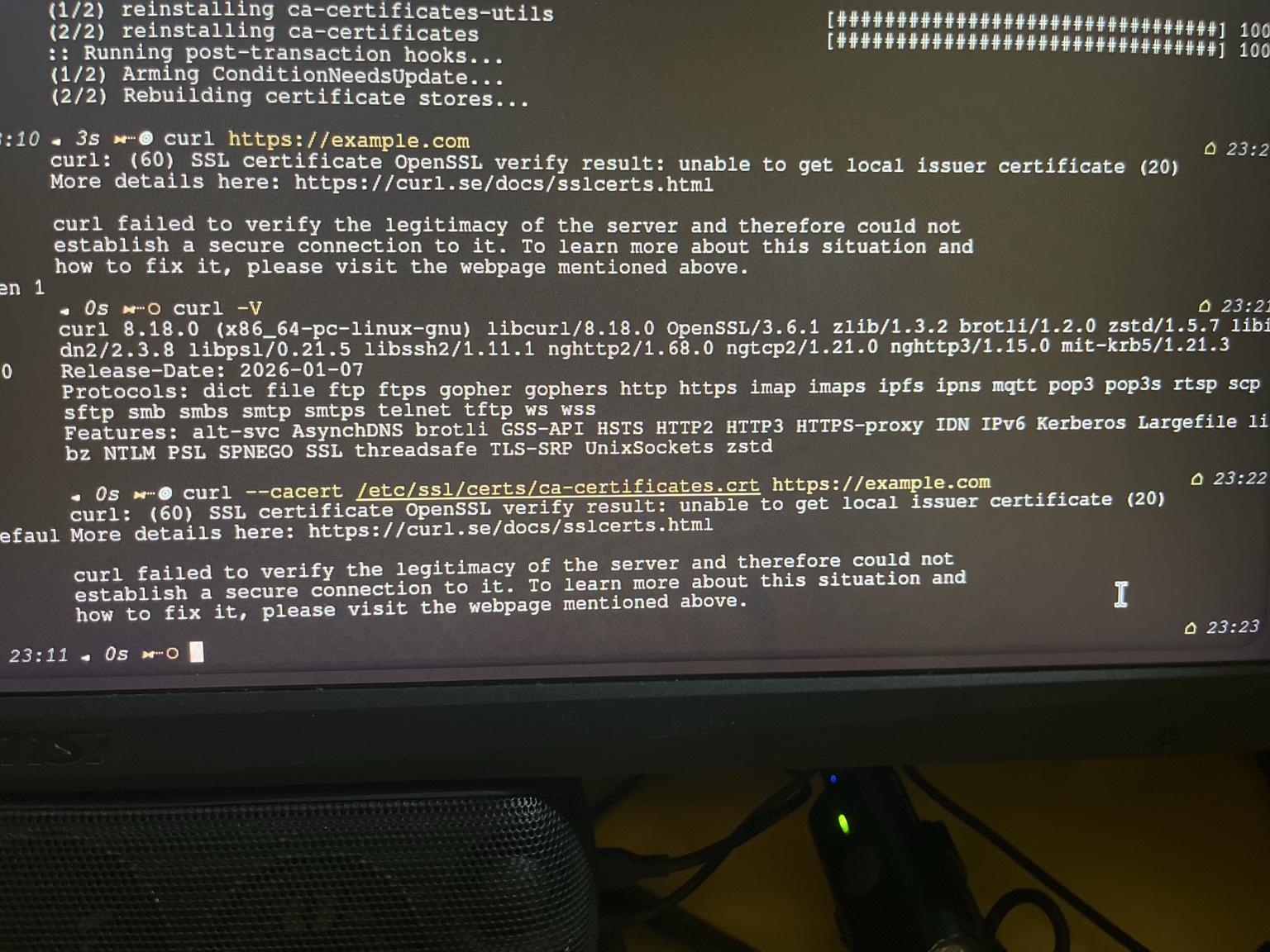
What this shows:
- Reinstalling
ca-certificates-utilsandca-certificates(attempting to fix the issue) curl https://example.comfailing with SSL error 60: "unable to get local issuer certificate"curl -Vconfirming OpenSSL 3.6.1- Even
curl --cacert /etc/ssl/certs/ca-certificates.crt https://example.comstill failing
The CA certificate store was corrupted or incomplete — likely a side effect of WARP's installation/uninstallation messing with the system trust store.
2.6 TLS handshake failure (confirmed)
Verified with openssl directly:
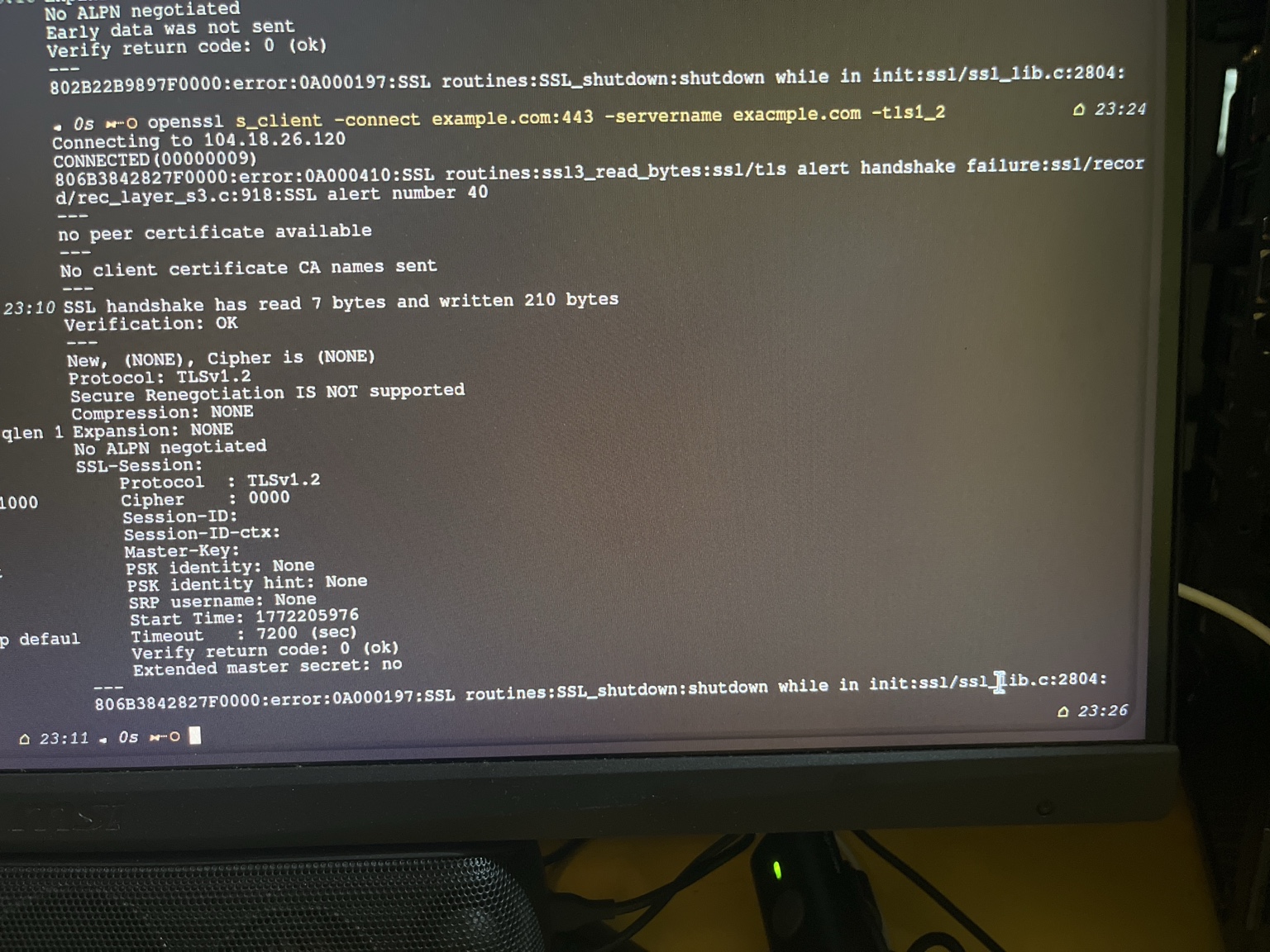
What this shows:
openssl s_client -connect example.com:443attempting TLS 1.2- SSL handshake failure (
ssl3_read_bytes:ssl/tls alert handshake failure) - No peer certificate available
- Cipher:
(NONE)
This confirmed the problem wasn't just curl — TLS was fundamentally broken at the system level. The combination of WARP's captive portal failures and the corrupted cert store meant no secure connections could be made until the certificates were properly restored.
3. Infrastructure constraints
| Constraint | Effect |
|---|---|
| No port forwarding | direct inbound hosting impossible |
| Shared NAT | requires a tunnel (e.g. playit) |
| Wi‑Fi contention | jitter spikes |
| Captive/ACL quirks | long TCP resets possible |
| ICMP blocked | ping misleading as connectivity test |
Important: low average ping != stable jitter.
4. Jitter vs latency
Speedtests looked ~11 ms.
Gameplay still showed:
- 300–2000 ms spikes
- keepalive timeouts
Conclusion: variance matters more than average latency for Minecraft.
5. Topology experiment
5.1 Baseline
Android host on dorm Wi‑Fi directly.
Result: periodic instability.
5.2 PC as upstream stabiliser (preferred)
[Android] -- Wi‑Fi --> [PC Hotspot] -- Ethernet --> [Dorm LAN] --> InternetEffect:
- reduced jitter spikes
- improved session stability
Reason: replaced unstable dorm Wi‑Fi uplink with wired Ethernet.
6. What we cannot prove
- "the entire campus network is bad"
- a single root cause (could be relay routing, Wi‑Fi scheduling, phone stack)
Operational conclusion from A/B tests: the topology change reduced instability.
END